
What this guide gives you
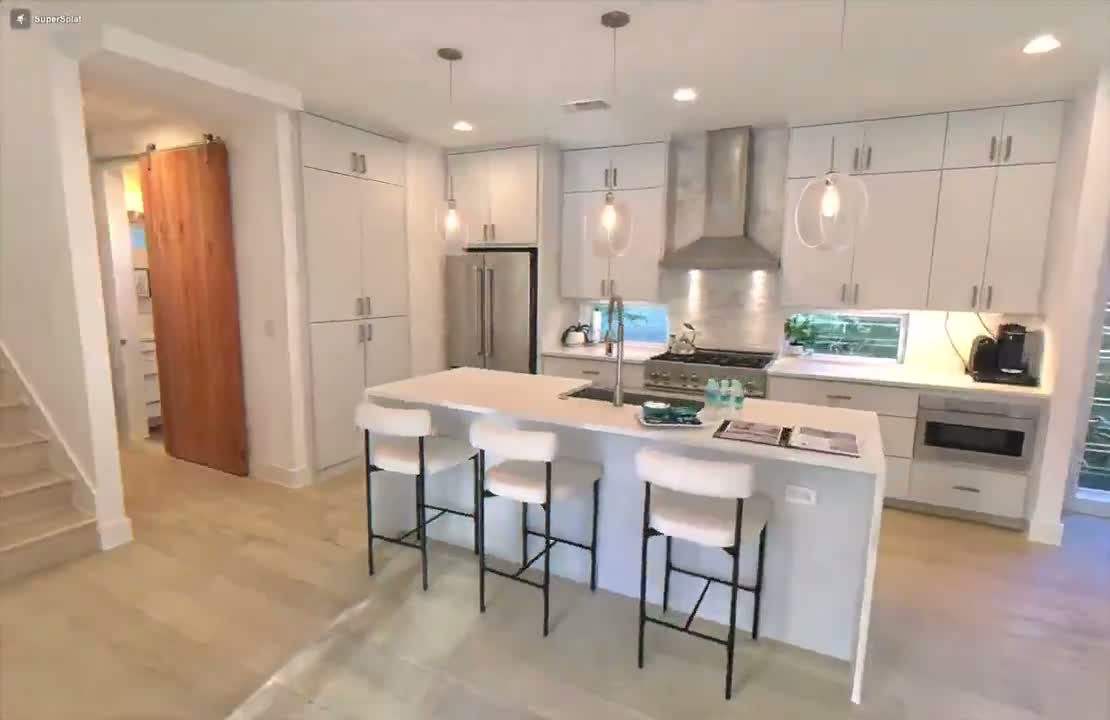
A Gaussian splat is what you get when a phone, a few minutes of walking, and a bit of cloud or on-device maths turn a real room into something you can walk through inside a browser tab. No app to install for the viewer, no game engine, no plug-in. Just a link.
This guide is the practical version. By the time you reach the end you will have picked the app, captured a room cleanly, run the result through a free web editor to clean up the floaters, and published a navigable walkthrough you can paste into iMessage or your blog. The whole loop is an afternoon at most, and the first scan is closer to twenty minutes.
Who this is for
- Anyone selling, renting, or showing off a space who wants something more compelling than a photo carousel.
- Property agents, interior designers, and Airbnb hosts experimenting with a richer listing format that Zillow, Realtor.com, and Apartments.com all started shipping in 2025.
- Hobbyists who want to capture a workshop, a car, a museum exhibit, a holiday rental, a grandparent’s house before it gets sold.
- Developers and indie creators who want a 3D scene on a webpage without building one in Blender.
What you need before you start
- A phone from the last four years. iPhone 11 or newer, or a Pixel / Samsung flagship with ARCore. LiDAR is nice to have, not required.
- About ten minutes of capture per room plus prep time. A typical three-bedroom house is an afternoon if you do every room.
- A laptop or desktop for the cleanup pass. SuperSplat is browser-based, so any modern browser on Mac, Windows, or Linux is fine.
- No payment for the recommended path. The default stack in this guide is completely free.
What a Gaussian splat actually is
Gaussian splatting (often written 3D Gaussian Splatting, or 3DGS) is the technique behind every splat you see online. The short version: instead of a solid 3D model with polygons like a video game, the scene is millions of soft, coloured blobs floating in space, each one carrying its position, size, opacity, and a colour that shifts slightly as you change angle. Software figures out where every photo was taken, then keeps nudging those blobs until rendering them reproduces your photos from any direction you point the camera.
Practically, that means three things. It looks photorealistic, because the result is literally fit to real photos. It renders fast, because GPUs are good at drawing millions of small blobs. And it works in any browser, because the file is a static asset rather than a runtime simulation.
Why this matters now
The research paper that started the modern wave came out of Inria in mid-2023. By the second half of 2025 the technique had crossed into mainstream consumer products. Zillow added SkyTour, drone-captured exterior splats of for-sale homes, in July 2025, and reported 79% more views, 76% more saves, and 91% more shares on listings that used it. CoStar acquired Matterport in February 2025 and rolled Matterport 3D Exterior into Apartments.com. Realtor.com launched FlyAround for geospatial splat-style flyovers in October 2025. DJI Terra version 5 added native 3DGS to the mainstream drone-mapping flow in July 2025.
The point: a year ago this was a graphics-research curiosity. Today it is the format a billion-dollar listing site reaches for because it converts better. And the pipeline that produces it has compressed all the way down to a free app on a phone.
Step 1 · Pick the app
There are five apps worth knowing about, but for the recommended path in this guide you only need one. Here is the lay of the land as of May 2026.
Recommended: Scaniverse (free, on-device, Niantic)
Scaniverse is the consumer pick in 2026. It is genuinely free with no paid tier. It captures by video, then processes the splat entirely on the phone in about sixty to ninety seconds. No upload, no cloud queue, no account required. It runs on any iPhone 11 or newer and on Android phones that meet ARCore Depth API requirements (any recent Pixel or Samsung flagship will work). Output formats are PLY, Niantic’s own SPZ (about ten times smaller than raw PLY), and FBX mesh.
The privacy upside is the part nobody talks about. Because the splat is built on-device, your captures never leave the phone unless you tap Share. For a walkthrough of your own house, this matters.
Strong alternative: Polycam
Polycam is the all-rounder and the historical heavyweight. The free tier supports splats but limits you to 150 images per capture, three-minute videos, and GLTF export only. The paid Basic plan is $30 a month or $150 a year and unlocks unlimited captures, 300-image limits, and proper PLY export. Polycam is cloud-trained for splats: your footage uploads to their servers, which is something to know if your subject is sensitive. The upside is that the cloud pipeline tends to do noticeably better on textureless white walls and dark corners, because Polycam uses LiDAR data as a depth prior on iPhone Pro models.
Use Polycam if Scaniverse struggles with a particular room, if you want to capture a whole house as one continuous scene rather than a stitch of separate rooms, or if you already use it for photogrammetry.
The others, briefly
- Luma AI: still works for splats via their web Interactive Scenes, but the company’s focus shifted to generative video (Ray3, Dream Machine) in 2025. Pricing starts at $30 a month with no free tier surfaced on the current page. Skip unless you already have a Luma habit.
- KIRI Engine: a strong alternative with a generous free tier for photogrammetry, but 3DGS capture is gated behind the Pro plan (around $12 to $18 a month depending on the billing cycle). Worth a look if you want PLY plus mesh exports.
- Postshot (Jawset): a Windows desktop tool that is the natural step-up once a phone app stops being enough. Currently free during a post-beta period. Out of scope for this guide, but flag it as the upgrade path.
- Apple Object Capture, RealityScan, 3DScanner App: all photogrammetry-first. Either they do not output splats or they are competent but offer nothing that Scaniverse does not.
Step 2 · Prep the space (10 minutes)
The single biggest factor in how good your splat looks is the state of the room before you press record. Splat training is sensitive to anything that moves, anything reflective, and anything that changes brightness between frames. You can save yourself an hour of re-captures with ten minutes of prep.
Light it evenly
- Turn on every overhead light in the room and set them to the same colour temperature if you can. Mixed colour casts confuse the colour fit.
- Open the blinds halfway, not fully. Strong direct sun creates blown-out highlights and harsh shadows that the algorithm reads as part of the geometry.
- Avoid capturing on a sunny afternoon with sharp window light moving across the floor. Overcast daylight or evening light with all interior lights on is the easy mode.
- Lock exposure on the camera if your app lets you. Auto-exposure drift between frames is a common cause of cloudy, soft splats.
Kill the screens and cover the mirrors
This is the rule people skip and regret. Screens and mirrors are the unfixable category for consumer splat apps in 2026.
- Turn off every TV and monitor. A live screen will freeze whatever frame was visible in your first photo across the entire splat, which looks bizarre.
- Drape a sheet or a towel over big mirrors. The default algorithm treats the reflection as a real room behind the mirror, which warps the geometry around it.
- Close the curtains over large windows if the view outside is bright. The exterior reads as a flat painted wall through the window, and the contrast often confuses the colour fit on the interior.
- Glass tables, glass display cabinets, and TV screens all produce dark holes or weird blobs. There is no good fix in the consumer pipeline; either move them, cover them, or accept the artefact.
Stop the movement
- Move pets out of the rooms you are scanning. A cat that walks through the shot once shows up as a smear of dark blobs.
- Ask other people in the house to stay in another room while you capture, or to stay completely still where they are.
- Anything that moves between photos shows up as floaters: stray Gaussians hovering in mid-air around where the moving thing used to be.
Tidy what you can see
The splat will faithfully record every dish in the sink, every shoe by the door, every cable on the desk. Spend three minutes on the surfaces and floor. You can always recapture later, but cleanup in the editor is harder than tidying up front.
Step 3 · Capture one room (5–8 minutes)
The technique matters more than the gear. The shape of a good capture is three slow passes around the room from different heights, with deliberate, even motion. If you can recite the alphabet at a normal pace during one full lap, your pace is about right. Anything faster introduces motion blur and the splat comes out soft.
First pass: the perimeter, facing in
Stand near the doorway. Hold the phone with both hands at chest height, screen facing you, camera facing into the room. Walk the perimeter slowly, keeping the camera pointed roughly at the centre of the room as you move. The aim is to see every wall, every corner, and every piece of furniture from at least two angles. Take your time at corners; the algorithm needs overlapping coverage from each side of a corner to reconstruct it correctly.
Second pass: the perimeter, facing out
Walk the perimeter again, now facing the walls. Tilt the camera up to catch the ceiling and down to catch the floor as you go. This is the pass that gives the algorithm the information it needs to render the walls cleanly when you walk close to them later. Skip this and your walls look flat and papery in the final result.
Third pass: the inner loop
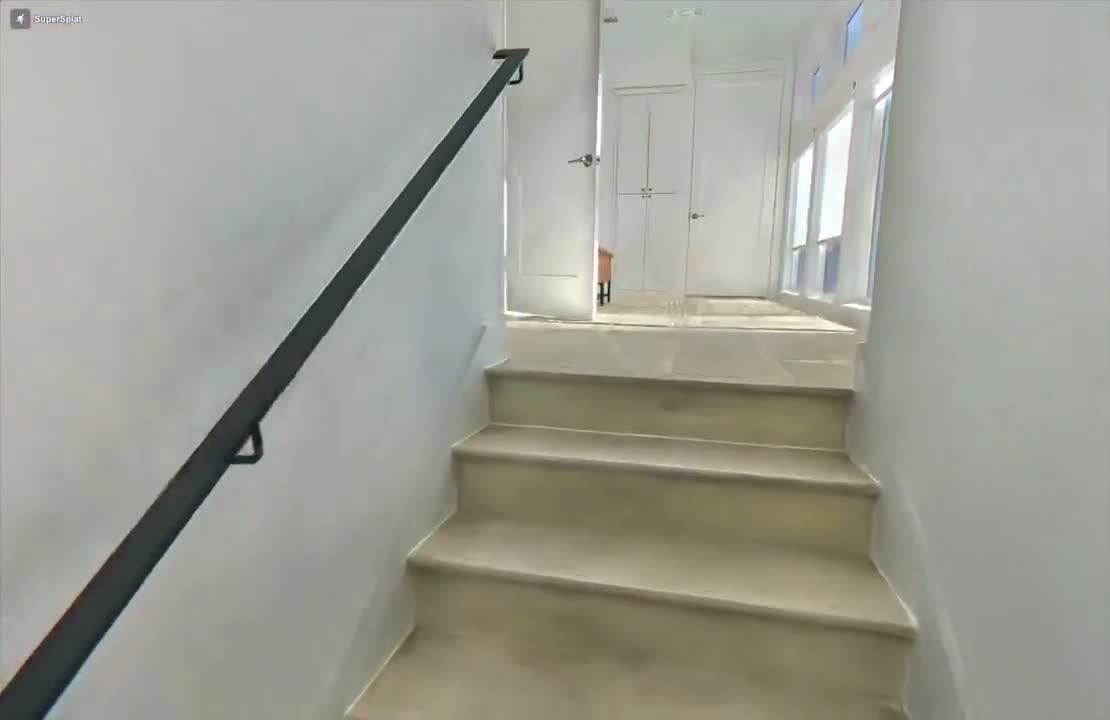
Walk a tighter inner loop around the centre of the room. As you pass each piece of furniture, slow down and capture it from at least three angles. Couch, table, chair, lamp. This is where the room gains the depth that makes it feel walkable rather than wallpaper.
Things that quietly fix everything
- Hold the phone away from your body with both hands. Two-handed grip stops the natural wobble of one-handed phone use.
- Walk heel-to-toe rather than your normal stride. The dampened footfall keeps the camera steadier.
- Keep one hand near the screen but watch where you are walking. Tilt drift is a common mistake when you stare at the preview.
- Do not swing the phone like a panning camera. Walk a slow arc instead. The model wants positional changes, not rotational ones.
- If a corner looks rushed when you preview, recapture that corner specifically. You can layer extra footage on top.
Step 4 · Capture a whole house (an afternoon)
A whole house is not one continuous scan. Consumer apps in 2026 cannot reliably stitch a five-room house in one go, and trying makes the result worse, not better. Treat the house as a set of separate scans, one per room, and accept that the final result is a small collection of splats rather than a single navigable mansion.
Plan the order of rooms
- Start with the rooms that have the most natural light and the simplest geometry. Kitchens and living rooms are easy wins. Save bathrooms (mirrors), bedrooms with mirrored wardrobes, and home offices full of screens for last.
- Capture a room the same time of day if it gets dramatic light. A bedroom captured at sunrise and again at sunset will look like two different rooms in the same splat.
- For connecting hallways, capture from both ends rather than walking through. Stand in one doorway, capture the hallway from there, then stand in the other doorway and capture again. You get clean coverage of both ends and the connecting wall.
Doorways are the failure point
The transition between rooms is where splats fall apart in consumer apps. The algorithm needs strong overlap to know that the kitchen and the dining room are the same world, and a quick walk-through almost never provides enough.
- Stand in the doorway itself before moving through. Capture the doorway frame from both sides as part of each room’s scan, so each scan independently knows where the door is.
- If you want a single continuous splat across rooms, capture them as one long scan with extra time spent at each doorway and a clear loop in each room. Even then, expect the result to be softer than per-room scans.
- The honest recommendation: capture each room as its own scan, label them in the app, and present the house as a set of linked splats. This is also how Zillow SkyTour and Matterport 3D Exterior structure their tours.
Exteriors and gardens
Splats love exteriors when the light is right. Overcast daylight is the gold standard, because the soft, even illumination removes the shadow problem entirely. Walk slow arcs around the building from at least two distances: one tight pass close to the wall, and one wider pass from across the garden or street. If you have a drone and it is legal where you are, an aerial orbit at roof height fills in the parts a pedestrian cannot capture.
Step 5 · Clean it up in SuperSplat (15–25 minutes per scan)
Every raw capture has floaters: stray Gaussians hovering outside the room, beyond the ceiling, under the floor, around the spots where someone walked through. SuperSplat is the free web editor that fixes them. No install, no account, no GPU setup. Drag a file in, clean it, publish it, copy a link.
SuperSplat is open source, MIT-licensed, made by PlayCanvas. It lives at superspl.at/editor. The March 2026 release added two features that change the workflow: Walk Mode, a first-person camera you can drive through the scene with WASD or pinch-to-move, and Streamed LOD, which makes large scenes load on phones. Both are reasons to bring every capture through SuperSplat even if your app already gave you a viewer.
Get the file out of Scaniverse
In Scaniverse, open the capture, tap Share, choose Export, and pick PLY. AirDrop, email, or upload the file to your laptop. PLY is the universal source-of-truth format; SuperSplat reads it natively and will compress it for delivery on the publish step.
Open SuperSplat and import
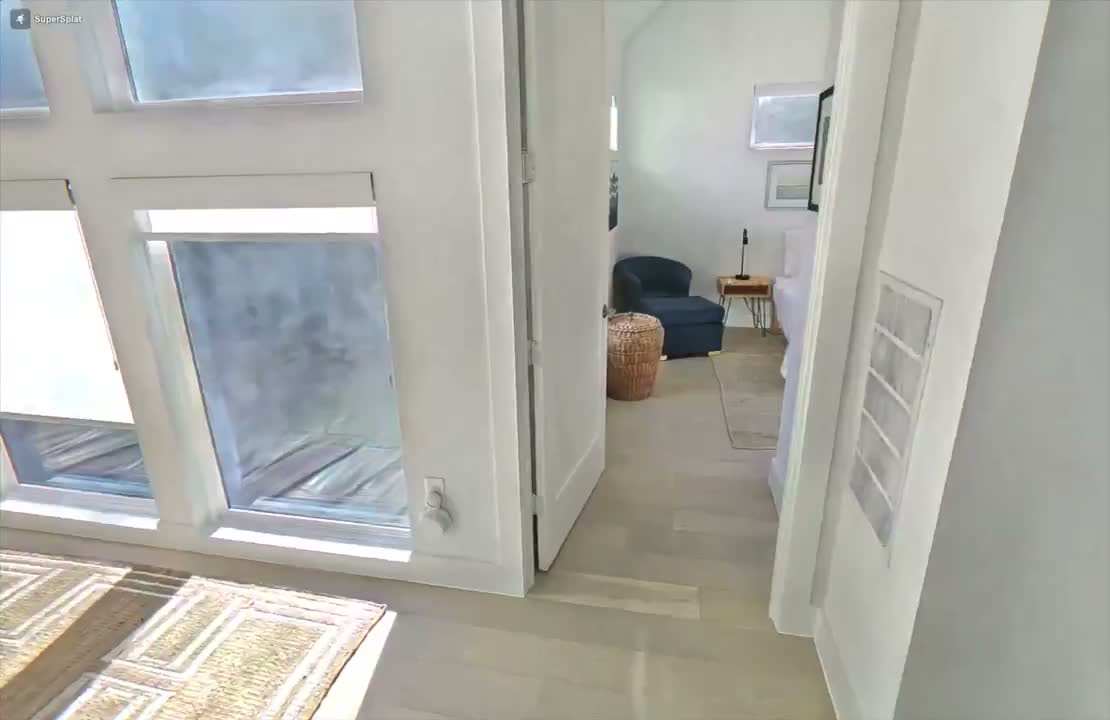
Open superspl.at/editor in any modern browser. Drag the PLY into the window. The scene loads and the camera lands in orbit mode by default. Spin it with the mouse, scroll to zoom, right-click and drag to pan. Hit the Walk Mode toggle once you are oriented; it is the fastest way to spot problem areas because you experience the scene the way a viewer will.
Kill the floaters
- Use the rect or sphere selection tool to grab obvious stray splats hovering outside the room. Press Delete. Repeat.
- Crop the bounding box to the room itself. Everything outside the walls, the ceiling, and the floor can usually go without affecting the visible result.
- Look at the corners where the floor meets the wall. Those tend to accumulate spongey artefacts from auto-exposure drift. Select and delete.
- Use Walk Mode to do a sanity walkthrough. If a wall has a hole or a corner looks smeary, you need to recapture that section in Scaniverse, not fix it here.
Publish to a link
Hit the Publish button. SuperSplat compresses the cleaned scene to SOG (Spatially Ordered Gaussians, PlayCanvas’s own format that is roughly two to three times smaller than compressed PLY) and uploads it to their hosting. You get back a shareable URL and an iframe embed snippet. Both are free.
What goes wrong the first time (and how to fix it)
A short field guide to the failure modes that bite everyone on their first capture. Most are obvious once you know the cause; none of them is a sign you are doing this wrong.
The whole room looks soft and watercoloury
You moved too fast during capture, or the lighting drifted, or the app was running on a low-end phone. Recapture more slowly, lock exposure if you can, and do the alphabet-pace check.
There are blobs hovering in the middle of the room
Something or someone moved through the shot, or there was a reflection. Delete them in SuperSplat. If they cluster in one area, cover the mirror or screen there and recapture.
A wall has a hole or a section is missing entirely
You did not capture that face from enough angles. Recapture the missing section in Scaniverse; the app will merge the new data into the existing scan.
The window is a dark hole or the TV is a frozen still
Splats cannot meaningfully reconstruct true transparency, and a screen that was on during capture is now a permanent painting of one frame. Close curtains over big windows, turn off all screens, recapture.
There is a second room visible inside the mirror
The algorithm interpreted the reflection as real geometry behind the mirror. There is no consumer-app fix. Cover the mirror with a sheet and recapture.
There are dark smears on the floor that follow nothing
Your shadow tracked with you as you orbited, and the algorithm read it as part of the scene. Capture earlier or later in the day, on a more overcast day, or with the blinds drawn enough to flatten the sun.
Two rooms end up disconnected, floating in space
The doorway between them did not get enough overlapping coverage. Recapture the doorway specifically from both sides. If they still will not connect, accept them as two separate scans and link them in your share post.
Phone hardware: does LiDAR actually matter
Short answer: not for splat quality directly. LiDAR is genuinely useful for the older photogrammetry pipelines, where it gives the app a real depth measurement instead of one inferred from images. For splats, the training is image-based, and no consumer app currently exposes LiDAR depth as a prior in its splat mode.
There is a soft caveat. On iPhone Pro models, Polycam’s cloud pipeline uses LiDAR data behind the scenes to seed the initial geometry estimate, which tends to produce cleaner results on textureless white walls and dark corners. That is an implementation detail rather than an advertised feature, and it does not change what your phone is capable of: a recent iPhone or a current Pixel or Samsung flagship is enough for every workflow in this guide.
The Android caveat: there is no equivalent of phone-grade LiDAR on Android. ARCore Depth API uses stereo cameras and on-device machine learning to fake it, and Scaniverse leans on that. Pixel 7 and newer, or a Samsung S22 and newer, will work fine. Budget Android phones with weaker cameras will struggle.
PLY, SPLAT, SPZ, SOG: the format soup, decoded
You will see four file extensions floating around. The short version: keep your originals as PLY, let your host decide everything else.
- PLY: the universal source-of-truth format. Every app reads it. Use this for archives and for handing files between tools.
- SPLAT (the antimatter15 format): a quantised, smaller variant. Useful with older web viewers and the GitHub-demo style. Less relevant in 2026.
- SPZ: Niantic’s open-source compressed format, about ten times smaller than raw PLY. It is what Scaniverse outputs and is on track to become the canonical compressed format because the Khronos Group adopted it as part of the glTF Gaussian splatting standard in February 2026.
- SOG (Spatially Ordered Gaussians): PlayCanvas’s open format, used as the delivery format on SuperSplat-hosted scenes. About two to three times smaller than compressed PLY, ordered for direct GPU consumption, supports streamed level-of-detail for whole-house scenes.
Privacy: think before you publish
A navigable splat of your house contains, at minimum, the floor plan, the layout of every room, where your valuables are, the location of your home security cameras, and which bedroom is the kids’. That is more information than a single photo. It is worth a moment of thought before you tap Share.
Where the data actually goes
- Scaniverse: processed entirely on the phone. The scan does not leave your device unless you explicitly tap Share, Post, or Upload. This is the privacy win.
- Polycam: cloud-trained. Your footage uploads to their servers (hosted on Google Firebase and Digital Ocean), encrypted in transit and at rest. The default visibility for published scans is Creative Commons 4.0, meaning anyone can save and reuse them. Switch published scans to private explicitly if that is not what you want.
- Luma AI: on free tier, content "may be used to operate and improve services." Paid and Enterprise tiers exclude training without explicit opt-in. Treat free-tier Luma scenes as semi-public by default.
- SuperSplat: when you publish, the scene is hosted on superspl.at. Default visibility behaviour and metadata handling are surfaced in the Manage page after upload.
A practical rule
Apply the same hygiene you would to any other public post. Do not publish the splat publicly if you would not also publish a floor plan with photos of every room. If you want to share with one person, use the link in iMessage and skip the public listing. If you want it on a blog, embed an iframe from a host you control or trust.
What’s new in 2026 (and why returning readers should know)
Five things changed in the first half of 2026 that materially shift the workflow. If you read about splats a year ago and put them down, this is what you missed.
- February 2026: Khronos Group released KHR_gaussian_splatting and KHR_gaussian_splatting_compression_spz as release-candidate glTF extensions. SPZ is now formally on the standards track.
- March 2026: SuperSplat shipped Walk Mode, Streamed LOD, and Easy Upload. Whole-house splats now actually load on a phone, which they did not last year.
- March 2026: OpenUSD v26.03 added 3D Gaussian Splat as a first-class USD prim type. Apple, Pixar, and NVIDIA toolchains now understand splats natively.
- April 2026: Cesium shipped 3D Tiles with hierarchical level-of-detail for splats, making city-scale splat streaming possible.
- May 2026: Esri and SimActive added 3DGS to their photogrammetry pipelines, bringing splats into the mainstream surveying world.
For the consumer flow in this guide, the SuperSplat March release is the one that matters most. Walk Mode plus Streamed LOD are why a whole-house scan is a viable share format in 2026 rather than 2025’s slideshow of single rooms.
Where to go from here
Three things, in order, once you have done your first room.
- Capture the single most photogenic room in your home and publish it. Send the link to two people who would not expect it. That is the moment splats stop being a graphics demo and start being a thing you can do.
- Try a non-house subject: a car, a workshop bench, a market stall, a museum exhibit if photography is allowed. The pattern is the same and the failure modes are easier to see on a smaller subject.
- If you keep doing this, try Postshot on a laptop with a recent NVIDIA GPU. It is the natural step-up: better quality, local training, real control over the cleanup. Currently free while the company finishes its post-beta tier work.
And if you want a one-line technical upgrade: drop a PLY or SPZ into a static HTML page and serve it with antimatter15’s minimal WebGL viewer or Hugging Face’s gsplat.js. That is the self-hosted version of what SuperSplat publishes for you, and it gives you full control over the page around the scene.
Further reading
- Scaniverse: official site (scaniverse.com), device support FAQ (community.scaniverse.com/t/which-devices-support-gaussian-splatting/63).
- Polycam: pricing (poly.cam/pricing), splat tool (poly.cam/tools/gaussian-splatting), embed help (learn.poly.cam/hc/en-us/articles/28802104162196).
- SuperSplat: the editor (superspl.at/editor), the March 2026 release notes (blog.playcanvas.com/new-in-supersplat-walk-mode-streamed-lod-and-easy-upload), the SOG format announcement (blog.playcanvas.com/playcanvas-open-sources-sog-format-for-gaussian-splatting).
- Niantic SPZ format: open-source repo (github.com/nianticlabs/spz).
- Industry adoption: Zillow SkyTour launch (zillow.com/news/take-home-listings-to-new-heights-with-skytour), DJI Terra 5 (dronexl.co/2025/07/17/dji-terra-update-photorealistic-3d-gaussian-splatting).
- Standards: glTF KHR_gaussian_splatting coverage (cgchannel.com/2026/02/3d-gaussian-splats-are-being-added-to-the-gltf-standard), state of the format in 2026 (thefuture3d.com/blog/state-of-gaussian-splatting-2026).
- Self-hosted viewers: antimatter15/splat (github.com/antimatter15/splat), gsplat.js (github.com/huggingface/gsplat.js).